Art direction for Originals
Every Original gets the same high-quality look as the cliparts of the GTA and Supermarket mods: reference images from the mods, painting on white, cutting out, a fixed post-processing and a visual check as a Gift Wall. The agent kit makes it binding and ships the tool for it.
- Applies to
- Action images and store material of every Original
- Action image
- 512×512 PNG with alpha, ≤ 300 KB
- Tool
- tools/art/generate-action-images.mjs
- Approval
- 2 test images before the rest
On this page
Binding
Common look
Action images appear on the Gift Wall, on the preset cards and in the store. The binding text is ART-DIRECTION.md in the agent kit (German: ART-DIRECTION.de.md), in a game repository under animstream/.
- Glossy 3D cartoon clipart like the mod cliparts: one clear motif, centred, strong silhouette, rounded shapes, saturated colours, soft studio light with a bright rim light, slight three-quarter view.
- Transparent background, no frame, no ground shadow.
- Readable as a 64 px tile on a dark and on a light background.
- Game reference: every image contains at least one element of the game's world (character, mascot, game objects in the game's colours), so the set belongs together.
- Text: none. Exception: one very short, self-explanatory sign such as "2X", "TAX" or "GAME OVER".
- Good and evil at a glance: mercy actions with green accents or a check mark, sabotage with red/orange, a warning or prohibition sign.
- Mascot: with its own reference image, in at most a quarter of the images.
| Item | Size | File |
|---|---|---|
| Action image | 512×512 (448/384) | PNG with alpha, ≤ 300 KB, media/actions/<id>.png |
| Cover | 1920×1080 | de + en, lower left corner free |
| Icon | 1024×1024 | no text, recognisable at 32 px |
| Splash | Portrait | calm lower area for the logo |
| Trailer + poster | 16:9 + 9:16 | each de + en, poster as JPG |
Examples
Good and bad
Every image large and at the Gift Wall size, on a dark background on the left and a light one on the right. The good examples are the style pack from the agent kit.
What it should look like
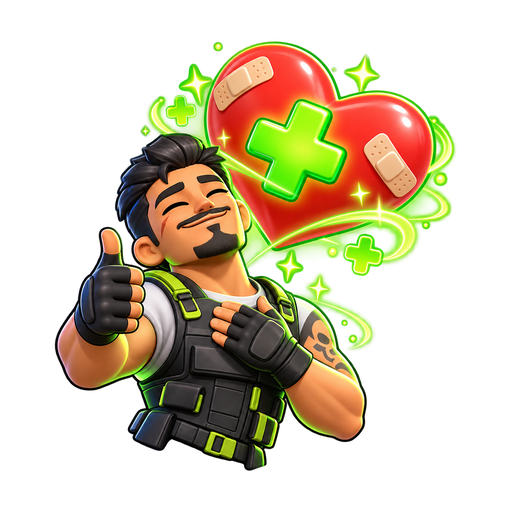
Good
GTA · Heal
Character plus mercy effect: green plus, heart.
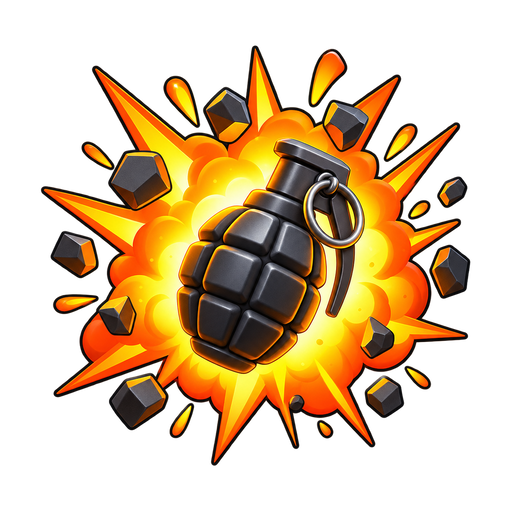
Good
GTA · Explosion
Effect, sabotage: orange burst, clear shape.
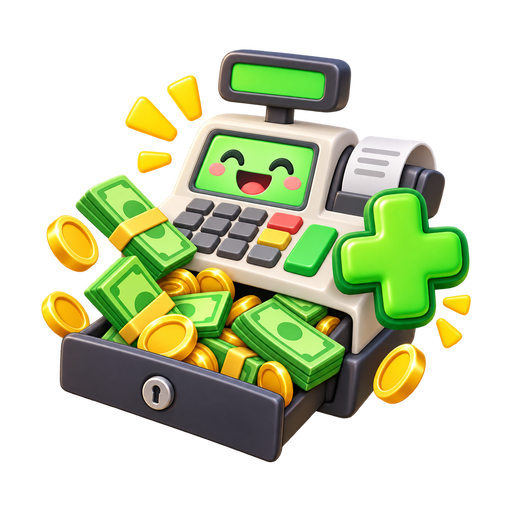
Good
Supermarket · Add money
Game object with a face, green plus.
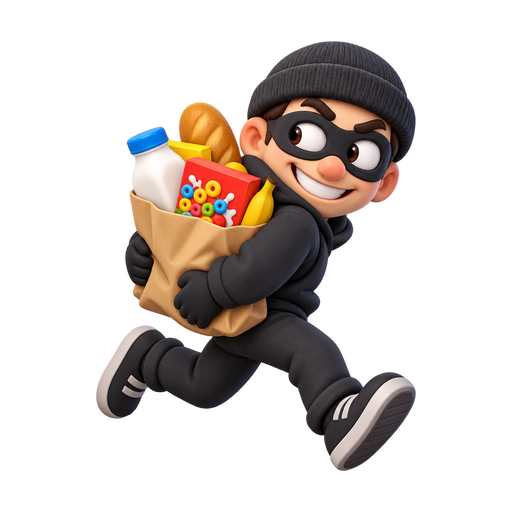
Good
Supermarket · Thief
Character with game objects, sabotage.
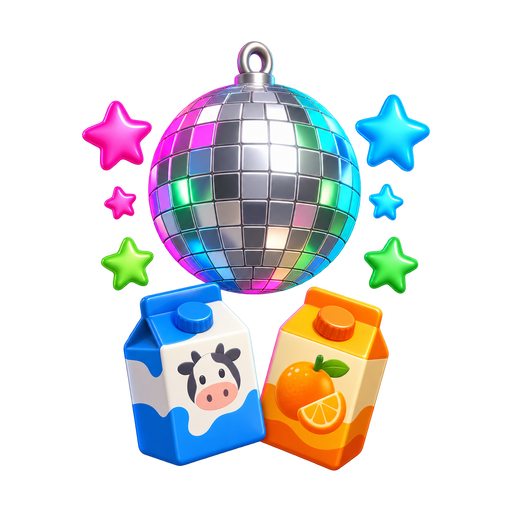
Good
Supermarket · Disco
Effect and game objects in one motif.
Not like this
Deliberately bad, synthetic examples and what catches them.
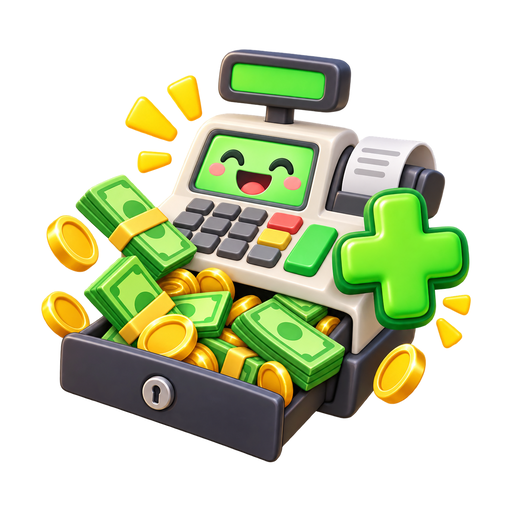
Bad
Not cut out
A white square behind the motif: a glaring box on the dark Gift Wall.
Caught by: Warning "has almost no transparency"
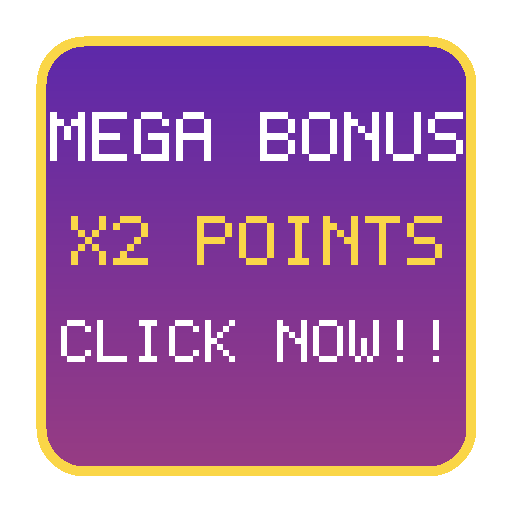
Bad
Text and frame
Sentences, a UI frame, no motif: unreadable at 64 px.
Caught by: Visual check (contact sheet)
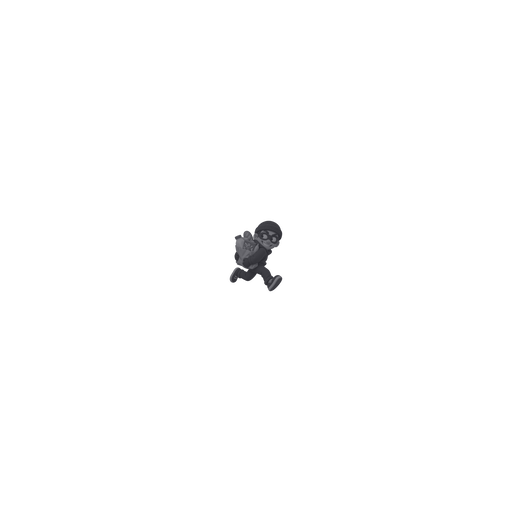
Bad
Tiny and low contrast
A small grey motif in a large empty canvas: disappears on a dark background.
Caught by: Warning "is almost completely transparent"; the tool fits every motif with an 8 % margin

Bad
One colour
A flat shape without light or form: no 3D clipart, a failed image.
Caught by: Warning "is almost one colour"
Style pack
Reference images
- The agent kit holds five approved AnimStream cliparts from the GTA and Supermarket sets under
art/reference/(transparent PNG); the installer puts them inanimstream/art/reference/. They are the generator's style reference. - Licence: only as a reference for image generation, never shipped in a game, a build or store material.
- No TikTok gift images as references or in the game: they are someone else's brand, and the Gift Wall shows the gifts itself.
- The game's own references (mascot, game objects, colour palette) come from the developer and are listed in
tools/art/action-prompts.json.
Process
Two-step process
Most image generators deliver no real transparency. The tool therefore makes every image in fixed steps:
- 01Paint with a model that accepts reference images (fal.ai
fal-ai/nano-banana/edit, OpenAI image models or the agent's own image tool): style template + subject + action, pure white background, 1:1, style pack and mascot as references. - 02Cut out with
fal-ai/birefnet/v2("General Use (Heavy)",refine_foreground), result PNG with alpha. - 03Post-process, local and deterministic: remove the transparent border, centre on a square with 8 % air, Lanczos to 512×512, optimize the PNG; over 300 KB 448 or 384 px, last 256 colours.
- 04Visual check:
dist/art-preview.htmlshows the contact sheet and the Gift Wall preview per preset (image, action, gift, coins) on dark and light. Regenerate bad images one by one with--only. - 05Approval: the developer first sees two test images (one mercy, one sabotage). Only then are all the others generated in parallel.
# Once: copy the prompt template and fill it for the game
cp animstream/art/action-prompts.example.json tools/art/action-prompts.json

# Look at the prompts without sending anything
node tools/art/generate-action-images.mjs --dry-run

# Two test images (mercy + sabotage) and the preview; then wait for the approval
node tools/art/generate-action-images.mjs --test 2

# After the approval: all others, in parallel
node tools/art/generate-action-images.mjs

# Contact sheet and Gift Wall preview, redo single images
node tools/art/generate-action-images.mjs --preview
node tools/art/generate-action-images.mjs --only spawn,heal

# Before packing: must exit 0
node tools/art/generate-action-images.mjs --check
Without an API
build/art-raw/<id>.prompt.txt into build/art-raw/<id>.paint.png and continue with --provider files; --cutout local cuts out from white offline. Raw images stay in build/art-raw/ and are never shipped.Binding
Prompt template
art/action-prompts.example.json in the agent kit is the template. Every game copies it to tools/art/action-prompts.json and fills it: keep the AnimStream wording and replace only the sentence about the game world and colours; per action subject, action, kind (mercy or sabotage), optional mascot and text. The file also records every prompt.
Glossy 3D cartoon clipart icon of {SUBJECT}, {ACTION}, exactly like the rendering style of the reference clipart images: one clear centred motif with a bold readable silhouette, chunky rounded shapes, vibrant saturated colours, soft studio lighting with a bright rim light, subtle specular highlights, slight three-quarter view, readable as a 64 px tile. It belongs to the world of Zombie Prank, a cartoon zombie survival arena: use its colours, toxic lime green, purple night sky, bright orange, and its objects (cartoon zombies, the hero's baseball cap, crates, potions). Isolated on a plain pure white empty background, nothing else in the picture, no text, no letters, no numbers, no logo, no frame, no ground shadow, square 1:1.{
"style": "Glossy 3D cartoon clipart icon of {SUBJECT}, {ACTION}, exactly like the rendering style of the reference clipart images: … no text, no letters, no numbers, no logo, no frame, no ground shadow, square 1:1.",
"kinds": {
"mercy": "This action helps the streamer: friendly mood with green accents or a green check mark.",
"sabotage": "This action pranks the streamer: mischievous mood with red or orange accents and a warning or prohibition sign."
},
"mascot": "Zed, a chubby friendly cartoon zombie with lime green skin, one droopy eye, a torn purple hoodie and a big goofy grin.",
"mascotReference": "tools/art/mascot.png",
"references": [
"animstream/art/reference/*.png"
],
"actions": {
"spawn-zombies": {
"subject": "three chubby cartoon zombies bursting out of a cracked purple ground portal",
"action": "a crowd of zombies rushing towards the viewer",
"kind": "sabotage",
"mascot": true
},
"invert-controls": {
"subject": "a chunky game controller with two curved arrows swapping left and right",
"action": "the controls turning upside down with a dizzy swirl",
"kind": "sabotage"
}
}
}Security
API keys
The tool reads FAL_KEY or OPENAI_API_KEY, otherwise the OS secret store (service fal-ai or openai). Keys are never printed, logged, written to files or passed on a command line. You store the key once in your own terminal; each command asks for it, so it does not end up in the shell history.
# macOS Keychain (asks for the key)
security add-generic-password -a "$USER" -s fal-ai -w

# Linux libsecret (asks for the key)
secret-tool store --label="fal.ai API key" service fal-ai

# Windows Credential Manager (asks for the key)
cmdkey /generic:fal-ai /user:fal-ai /pass

# OpenAI: "openai" instead of "fal-ai"; or set FAL_KEY / OPENAI_API_KEY in your own terminal
Never in the chat
Acceptance
Checks
| Check | Where | Result |
|---|---|---|
| PNG/WebP, square, 256–1024 px, ≤ 300 KB, alpha | animstream-pack, release CLI, --check | error |
| Placeholder | animstream-pack, release CLI, --check | must be replaced |
| < 5 % transparent pixels | animstream-pack, release CLI, --check | warning (not cut out) |
| ≥ 90 % of the visible pixels in one colour | animstream-pack, release CLI, --check | warning |
| Almost nothing visible | animstream-pack, release CLI, --check | warning |
| Readable at 64 px, game reference, colours, text | contact sheet + Gift Wall preview | visual check before the approval |
generate-action-images.mjs --check exits 0 only when none of these warnings and no placeholder is left. The skill animstream-release runs it before packing. Checklist: point 6 and point 13.
Same art direction
Store material
The same colour world and mascot in the game, the action images and the store material, generated with the same references.
| Item | Size | Rules | Check |
|---|---|---|---|
| Cover | 1920×1080, de + en | Game logo large, mascot or main motif, game scene in the background; lower left corner free for the "animstream ORIGINALS" badge. | Readable as a 480×270 thumbnail. |
| Icon | 1024×1024 | Only the mascot or the main motif, no text. | Recognisable at 32 px. |
| Splash | Portrait, e.g. 1080×1920 | Calm lower area for the logo. | Matches the cover. |
| Trailer | 16:9 and 9:16, each de + en | Real gameplay driven by an autopilot, cut to the beat; actions with a gift card ("@name sends · gift · coins"); end card with icon, logo and "Now in the AnimStream Store". | MP4 rules of the release CLI. |
| Poster | same as the trailer, JPG | The strongest scene of the trailer. | One per trailer and language. |
ART-DIRECTION.mdART-DIRECTION.de.mdaction-prompts.example.json